Orthopedic notes in AdvancedMD fail audits when joint, laterality, and ROM degrees are missing
Clinical documentation inside AdvancedMD rarely fails because surgeons lack dedication. It fails because a busy clinic day compresses a knee exam into a single line, and that line omits the details a payer reviewer looks for first: which joint, which side, how many degrees of motion, and which conservative treatments were tried and failed.
AdvancedMD templates are practice-built, not universal. Each orthopedic group designs its own sports medicine, spine, hand, or joint replacement layouts, so field labels and section order vary from clinic to clinic. A documentation tool that posts generic text through a server connection cannot predict where that text should land. A tool that reads the live page can.
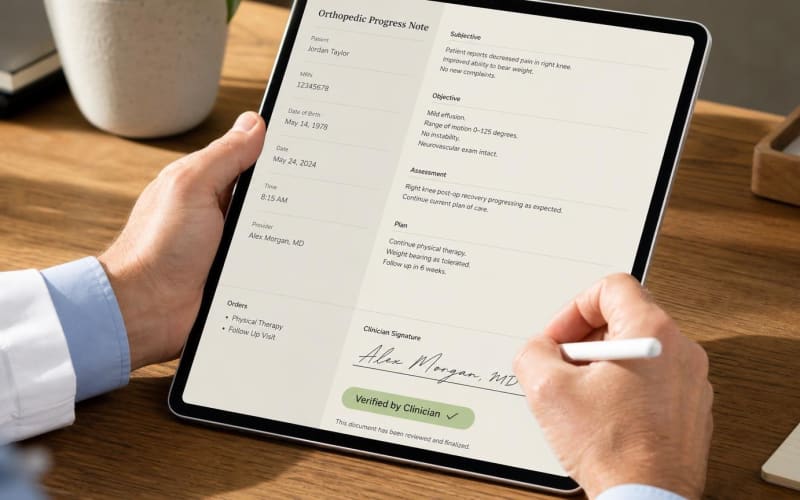
Merry AI works from the page the surgeon already has open. The Chrome Extension identifies the note textarea in the active AdvancedMD encounter, drafts structured orthopedic blocks from the visit, and writes them into that field only after the clinician confirms.
The Chrome Extension writes into the AdvancedMD note textarea the clinician already sees
Step 1: Pin the extension to the AdvancedMD tab. The extension activates only on the pinned encounter tab, so it never reads or writes into unrelated browser windows, billing screens, or patient lists.
Step 2: Map the note textarea. The extension locates the narrative note editor, whether it renders as a standard textarea, an editable rich text region, or an editor nested inside a frame. It re-maps the field whenever AdvancedMD re-renders the page or the clinician switches between HPI, exam, and procedure tabs, which prevents writes into stale or hidden elements.
Step 3: Inject on clinician confirm. The draft appears in a review overlay first. When the surgeon approves, the extension writes the text using the same input events produced by typing or a macro, so AdvancedMD autosave and its own record history treat the content as ordinary note text. The extension never touches order entry, diagnosis pickers, charge capture, timestamps, or author metadata.
Browser-native DOM mapping bypasses EHR marketplace paywalls entirely
Three integration models dominate ambulatory orthopedic practices. The comparison below shows how each one handles setup, field targeting, and data exposure.
| Criterion | Traditional API Marketplace Integration | Manual Copy-Paste | Merry AI Chrome DOM Injection |
|---|---|---|---|
| Setup requirement | Vendor contract, API credentials, IT project | None | Chrome Extension install, BAA |
| Recurring integration fees | Marketplace and per-call fees common | None | No API fees |
| Field targeting | Fixed server endpoints, may ignore custom templates | Clinician places text by hand | Maps the live note textarea in the practice template |
| Time to write note | Depends on sync cycle | Minutes per note, error-prone | Under 500ms after clinician confirm |
| Risk of wrong-field entry | Low for mapped fields, high for custom ones | High under time pressure | Restricted to the mapped narrative field |
| Audio handling | Often streamed and stored by vendor | Not applicable | Processed in RAM, then discarded |
| Clinician review before commit | Varies by vendor | Implicit | Required review overlay and attestation |
Marketplace integrations solve a different problem. They suit enterprise data exchange, but they place a contract, an IT queue, and a recurring fee between the surgeon and a finished note. Copy-paste avoids the fees but invites pasting a left knee exam into a right knee encounter. DOM injection keeps the speed of a macro with the structure of a template.
Modifier 25 belongs on the E/M code, never on CPT 20610
A common billing error appends modifier 25 to the injection code. Modifier 25 attaches to the same-day evaluation and management code, such as 99213 or 99214, to show that a significant, separately identifiable E/M service occurred in addition to the procedure. CPT 20610 itself carries a laterality modifier, RT or LT, when a major joint such as the knee or shoulder is injected without ultrasound guidance. Ultrasound-guided injection with permanent recording and reporting is reported with 20611 instead.
CPT 20610 carries a zero-day global period, which means the brief evaluation and the decision to inject are already bundled into the procedure payment. The E/M only stands on its own when the note shows work beyond that pre-procedure assessment, such as evaluating a second complaint, reviewing new imaging, or adjusting a broader treatment plan.
Merry AI documents four elements before the E/M block is marked for modifier 25 review: the joint, the laterality, active and passive ROM in degrees, and the conservative therapies that failed. A typical draft reads: Right knee, medial compartment. Active flexion 0 to 105 degrees, passive flexion 0 to 115 degrees, pain at terminal flexion. Failed 8 weeks of supervised physical therapy and 6 weeks of oral NSAIDs. Separate evaluation of left shoulder pain with new radiograph review. The procedure block then lists site, approach, anesthetic, medication, dose, and immediate response under its own heading.
Clean separation protects both codes. When the E/M content and the procedure content sit under distinct headings, a reviewer can verify each service independently, which is what NCCI guidance requires for modifier 25 and what distinct anatomic site documentation requires for modifier 59 or XS on separate joints.
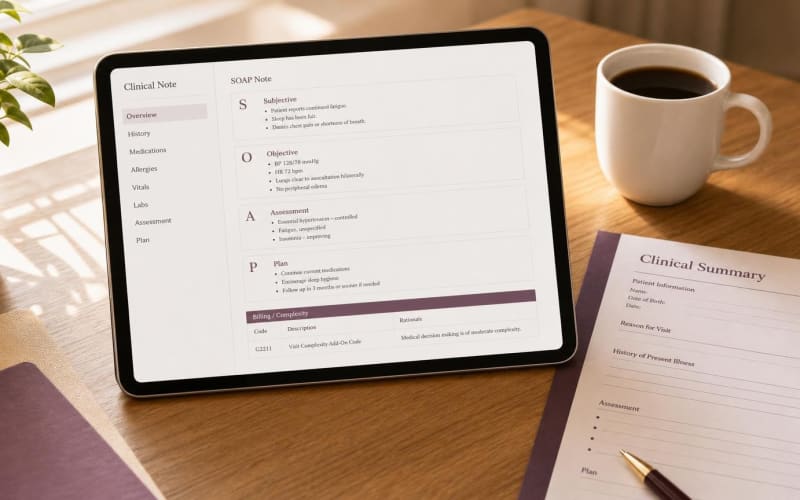
G2211 and modifier 25 cannot be paid together on most orthopedic visits
CMS defines HCPCS G2211 as an add-on for visit complexity tied to longitudinal care of a single serious condition or a complex condition, reported with office or outpatient E/M codes 99202 through 99215 and, from 2026, home or residence E/M codes. CMS edits deny G2211 when the associated E/M carries modifier 25, except when the modifier 25 E/M is billed with an annual wellness visit, vaccine administration, or a Medicare Part B preventive service.
A joint injection visit therefore forces a choice. If the visit includes 20610 and a modifier 25 E/M, G2211 is not payable. Merry AI flags this conflict in the review overlay rather than drafting complexity language that cannot be billed. For visits without a same-day procedure, such as ongoing management of multi-joint osteoarthritis or post-arthroplasty surveillance, Merry AI drafts a longitudinal management block that names the chronic condition and the continuing care relationship.
Audio is processed in memory and discarded once the draft is generated
Ambient documentation creates exposure when recordings persist. Merry AI processes encounter audio in volatile memory, generates the draft, and clears the audio without writing recordings to disk. No audio or transcript is retained under the executed Business Associate Agreement, which narrows the data a practice must account for in its HIPAA risk assessment.
State AI rules keep the surgeon as the accountable author
California AB 3030 requires a disclaimer when generative AI produces patient communications containing clinical information, unless a licensed provider reads and reviews the communication before it is sent. Merry AI supports a configurable AI-assisted documentation marker so that visit summaries and portal messages derived from the note can carry the required notice. California SB 1120 requires that health plan medical necessity determinations be made by a licensed clinician, so objective findings such as ROM degrees and documented failed therapies matter more, not less. Texas deployments should complete legal review of current state AI requirements, and Merry AI policy profiles adjust disclosure text by state without changing the DOM logic.
The surgeon's attestation is the final control
Nothing enters the chart until the surgeon reviews, edits, and confirms the draft. Merry AI structures the documentation, flags coding conflicts, and writes into the correct field, but the clinical findings, the decision to inject, and the selection of modifiers remain licensed clinical and coding decisions. That boundary is what makes the record defensible.