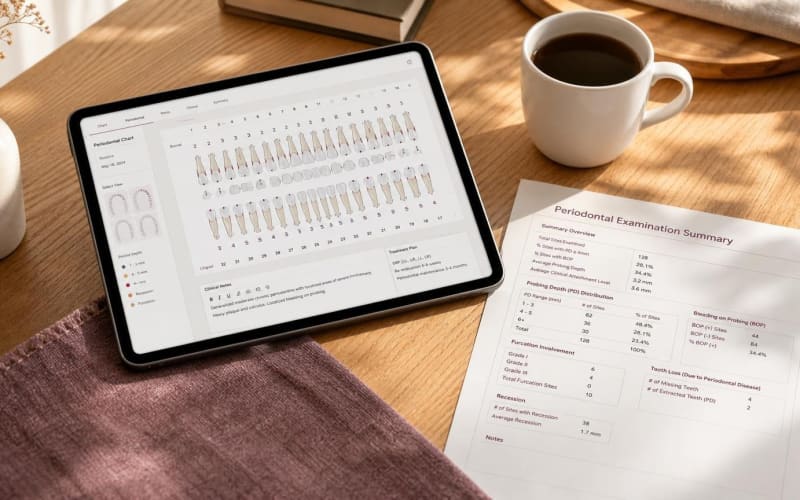
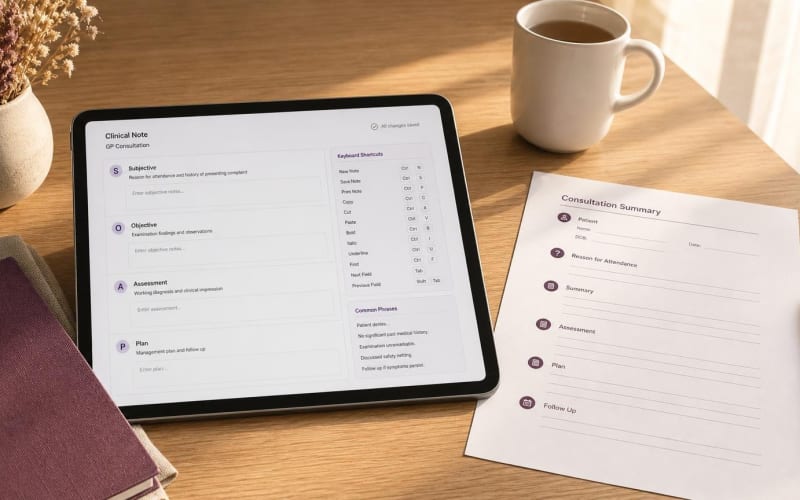
Cerbo EMR chart notes accept Merry AI text as ordinary clinician keystrokes
Functional medicine visits in Cerbo generate more structured data than most primary care encounters: multi-panel labs, layered supplement protocols, and lifestyle plans that change every 8 to 12 weeks. The documentation burden lands in the same place every time. That place is the open encounter note, and that is exactly where Merry AI writes.
Merry AI runs as a Chrome Extension content script inside the clinician's already-authenticated Cerbo session. It locates the editable note container, whether a standard textarea or a contentEditable rich-text editor, using DOM queries keyed to visible section headers such as Assessment, Plan, Supplements, and Lab Review. After the clinician reviews the draft, the extension inserts the text and dispatches native input and change events.
Because those events fire normally, Cerbo's own autosave, change tracking, and audit trail register the edit exactly as if the clinician had typed it. Chart Parts expansion still works in the main text field. No Cerbo API credentials, marketplace listing, or server-side connector is involved at any point.
Cerbo loads content dynamically as clinicians move between patients, historical visits, Wellness Plan panes, and intake form pull-ins. A MutationObserver watches for those encounter changes and rebuilds the field map before any write occurs, so text never lands in a stale or hidden editor.
Every abnormal lab is trended against its prior value, date, units, and protocol change
Merry AI enforces a four-part structure for each out-of-range result: the current value with collection date and units, the prior value with its date and units, the direction and magnitude of change, and the protocol decision that follows. A lab sentence missing any of those four parts is flagged in the draft before it can be injected.
A typical Lab Review block reads like this. Ferritin 42 ng/mL (11/10/2026), up from 18 ng/mL (08/04/2026); iron bisglycinate 25 mg daily continued, recheck in 12 weeks. hs-CRP 1.1 mg/L (11/10/2026), down from 3.4 mg/L (08/04/2026); curcumin 500 mg reduced from twice daily to once daily. 25-OH vitamin D 38 ng/mL (11/10/2026), up from 21 ng/mL (08/04/2026); vitamin D3 reduced from 5,000 IU to 2,000 IU daily.
Unit consistency matters more here than in most specialties because functional medicine patients often bring outside results from different reference laboratories. When a prior value was reported in different units, such as HbA1c in mmol/mol versus percent, the draft states both values and notes the conversion so the trend comparison remains valid.
Supplement changes land in the Supplements section of the Cerbo note with dose, frequency, duration, and the lab value or symptom that justifies the change. Each protocol adjustment is tied to a documented clinical indication rather than a general wellness goal.
Specialty diagnostic frameworks anchor the Assessment. Where relevant, templates reference ADA glycemic thresholds, CGM time in range, thyroid and lipid targets, NYHA functional class with LVEF, and DSM-5-TR criteria when behavioral health is part of the visit. Explicit framework language supports medical necessity and makes the note readable to any downstream clinician.
Browser-native DOM mapping bypasses EHR marketplace paywalls entirely
Most ambient scribes depend on vendor APIs or marketplace programs. For a cash-pay or hybrid functional medicine practice on Cerbo, that model introduces onboarding delays, per-connection fees, and an additional credential handoff. Merry AI instead maintains a Cerbo-specific selector map anchored to visible section labels and updates it when Cerbo changes its DOM structure or content security policy.
The practical result is simple: the integration lives entirely in the browser the clinician already uses. There is nothing to install on a server, no firewall rule to open, and no data flow between Merry AI and Cerbo's back end.
Three Cerbo integration paths differ sharply on cost, speed, and audit fidelity
The comparison below summarizes how each documentation path performs in a lab-heavy functional medicine workflow.
| Criteria | Traditional API Marketplace Integration | Manual Copy-Paste | Merry AI Chrome DOM Injection |
|---|---|---|---|
| Setup time | Weeks to months of vendor onboarding | Immediate | Under 10 minutes |
| Cerbo API or marketplace dependency | Required | None | None |
| Per-connection or listing fees | Common | None | None |
| Field-level targeting (Supplements, Lab Review, Plan) | Limited to exposed API scope | Clinician selects each field by hand | Mapped to visible section headers |
| Autosave and audit trail registration | Server-side write on a separate audit path | Registers as typed | Native input and change events register as typed |
| Primary failure mode | Sync breaks when API schema changes | Wrong-field or wrong-patient pastes, lost formatting | MutationObserver rebuilds field map on every patient or pane switch |
| Clinician review before commit | Varies by vendor | Implicit and untracked | Required attestation on every draft |
Longitudinal lab narratives give G2211 claims the documentation CMS expects
HCPCS add-on code G2211 recognizes visit complexity tied to longitudinal care, either as the continuing focal point for all needed services or as ongoing care for a single serious or complex condition, according to the CMS G2211 FAQ. It is reported alongside office/outpatient E/M codes 99202 to 99205 and 99211 to 99215, as well as home or residence E/M codes.
Functional medicine practices already deliver this kind of care, but the note often fails to show it. Merry AI's Assessment drafts link current decisions to prior visits and dated lab trends, name the chronic conditions under management, and describe supplement and medication interaction risks. That longitudinal thread is what a reviewer looks for when evaluating a G2211 claim.
Documentation quality carries measurable financial risk. According to CMS E/M compliance guidance, the 2024 improper payment rate for E/M codes was 10.3 percent, a projected $3.9 billion. Incorrect coding accounted for 49.1 percent of those improper payments and insufficient documentation for 34.1 percent.
The G2211 figure shown above is an estimate for practices billing Medicare E/M visits and depends on visit volume, payer mix, and local fee schedules. Cash-only practices should treat structured trend documentation as a clinical quality and defensibility measure rather than a billing lever.
Procedure and E/M content stay separated so Modifiers 25 and 59 hold up
Same-day IV infusions, injections, and other procedures require a significant, separately identifiable E/M service to support Modifier 25, and a distinct procedural service to support Modifier 59 under NCCI rules. Merry AI writes lab-trend and supplement narratives only into E/M sections and leaves procedure documentation in its own Chart Part, so the two never blend into a single generic paragraph.
California AB 3030 applies when AI-drafted text reaches the patient
Internal chart documentation is generally distinct from patient communication. California AB 3030 requires a generative AI disclaimer and instructions for reaching a human provider when generative AI produces patient communications about clinical information. The statute exempts communications that a licensed provider has read and reviewed.
Practices that print Merry-drafted protocols as Cerbo handouts or share them through the patient portal should still add standard disclosure and contact language through a Chart Part as a conservative default. That keeps the workflow consistent regardless of which staff member releases the document.
Cerbo setup takes three steps and no IT ticket
- Install the Merry AI Chrome Extension from the Chrome Web Store and sign in with your practice account.
- Open a Cerbo chart note for the active encounter so the extension can read the rendered Assessment, Plan, Supplements, and Lab Review sections.
- Enable field auto-detect in the extension panel. Merry AI confirms each mapped section before the first write.
The clinician signature remains the only path to a committed record
No draft reaches the chart until the clinician reviews it, edits it if needed, and attests to it. Merry AI stores no audio or transcript after note generation under an executed BAA. The final record in Cerbo is authored, reviewed, and signed by the treating clinician.