Merry AI writes orthopedic notes into NextGen Enterprise through the browser, not through a server API
Clinical documentation inside NextGen Enterprise rarely fails because surgeons lack dedication. It fails because a busy injection clinic forces the clinician to translate a seven-minute knee visit into discrete HPI, exam, and plan fields while the next patient waits. Merry AI closes that gap by running as a Chrome Extension inside the same browser window the clinician already uses for NextGen Enterprise.
The extension reads the page the same way the clinician does. Content scripts attach to the NextGen charting origin and its child frames, locate editable textareas and exam grid cells by stable labels such as History, Exam, Assessment, Plan, Flexion, and Laterality, and write drafted text into those exact elements. No HL7 feed, FHIR endpoint, or vendor marketplace contract sits between the encounter and the note.
Browser-native DOM mapping bypasses EHR marketplace paywalls entirely
Traditional API integrations depend on vendor approval, interface engines, and recurring per-provider or per-transaction fees. For a five-surgeon orthopedic group, that path often means months of IT scoping before a single note lands in the chart. Merry AI installs as a Chrome Extension, so the integration surface is the rendered NextGen page itself.
| Capability | Traditional API Marketplace Integration | Manual Copy-Paste | Merry AI Chrome DOM Injection |
|---|---|---|---|
| Time to first note | Weeks to months of interface scoping | Immediate | Same day after extension install |
| IT and firewall changes | Interface engine, credentials, vendor review | None | None, runs in the clinician browser session |
| Marketplace or API fees | Recurring per provider or per transaction | None | None |
| Field targeting | Limited to endpoints the vendor exposes | One block pasted into one box | HPI, exam, and plan textareas mapped individually |
| Laterality and ROM structure | Often narrative only | Lost or retyped | Written as explicit side and degree values |
| Cross-patient safeguards | Server-side encounter matching | Relies on clinician attention | Patient plus encounter context key per tab |
| Audio retention | Varies by vendor | Not applicable | Volatile memory only, discarded after signature |
| Final sign-off | Clinician | Clinician | Clinician review and attestation required |
Onboarding maps each NextGen template into a set of injection targets. Merry AI maps the HPI narrative textarea, the musculoskeletal exam fields, and the assessment and plan textareas in the practice's active orthopedic template. When a clinic customizes its template, the mapping is updated against visible field labels rather than auto-generated element IDs, which keeps write-back stable across NextGen releases.
Merry AI writes only into the encounter that is open and active
NextGen often renders notes, orders, and imaging in separate panels, tabs, or frames, and surgeons frequently keep more than one chart open. Merry AI enumerates every frame on the page, tracks which one holds focus, and binds each draft to a context key made of patient, encounter, and chart tab. If the active encounter changes before injection, the write is blocked and the clinician is asked to confirm the target chart.
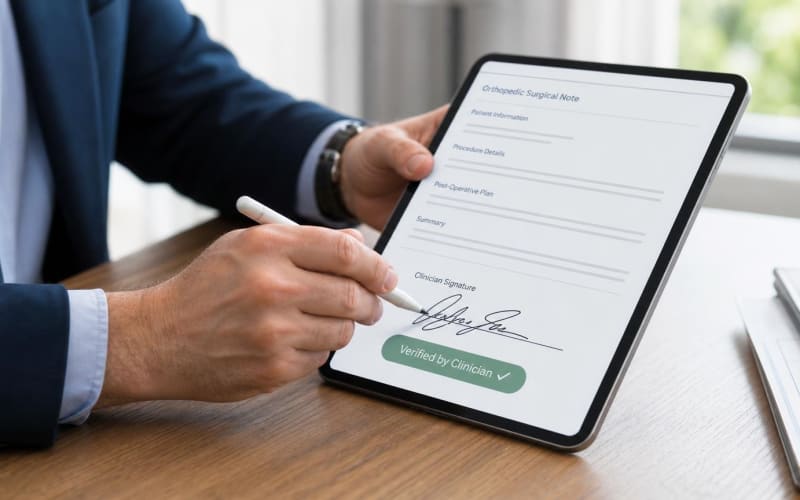
Writes dispatch native input events so NextGen's own autosave, validation, and required-field logic recognize each entry as if it had been typed. The clinician sees every injected sentence in place, edits it directly in NextGen, and signs only when the note is accurate.
Every 20610 draft documents laterality, ROM in degrees, and failed conservative therapy before the plan is written
Payers review major joint injections for three facts first: which joint and which side, how restricted the joint is, and what was tried before the needle. CPT 20610 covers arthrocentesis, aspiration, or injection of a major joint or bursa without ultrasound guidance, and its documentation must stand on its own when a reviewer pulls the note months later.
Laterality is always written explicitly. Merry AI writes standardized phrases such as Right knee or Left shoulder into the HPI, the exam, and the procedure plan, and sets left or right controls where the template exposes them. This supports RT and LT modifiers and gives coders a clear anatomic site when distinct-site modifiers such as 59 or XS are under consideration.
Range of motion is captured in degrees, by joint and plane: flexion, extension, abduction, and internal and external rotation. Each value is written with its unit and, where dictated, a contralateral comparison, for example: Right knee flexion 95 degrees, left knee flexion 135 degrees. Vague phrases such as decreased ROM are flagged for the clinician to quantify before attestation.
Failed conservative therapy is listed with duration and response: weeks of supervised physical therapy, NSAID trials, bracing, activity modification, and prior injections with dates. If any of the three required elements is missing when the plan includes 20610, Merry AI surfaces a pre-injection prompt in the overlay instead of silently drafting the procedure note.
G2211 and modifier 25 rules determine how an orthopedic visit should be documented
CMS limits G2211 to specific base E/M codes: office or outpatient visits 99202 through 99205 and 99211 through 99215, plus home or residence visits 99341, 99342, 99344, 99345, and 99347 through 99350 beginning January 1, 2026. The add-on reflects the longitudinal relationship of ongoing care for a single serious or complex condition, not visit length.
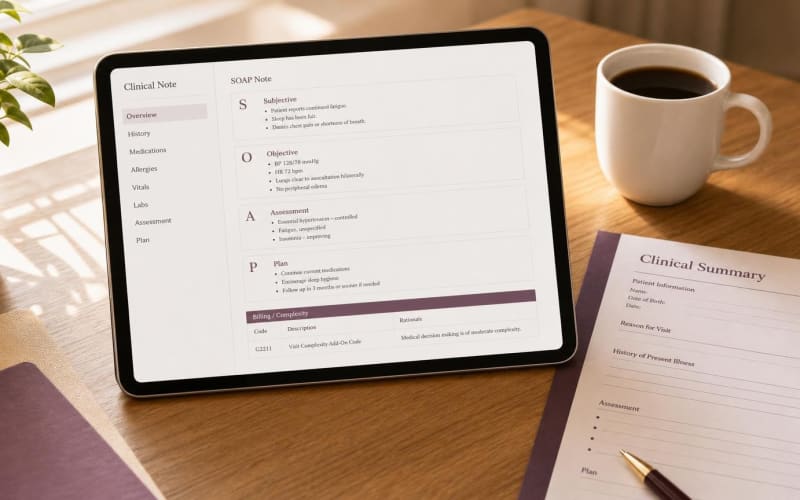
Modifier 25 changes the math. When an E/M visit is reported with modifier 25 on the same day as a minor procedure such as 20610, CMS edits deny G2211 except in narrow situations such as preventive services, vaccine administration, or the annual wellness visit. Merry AI flags this interaction in the overlay so coding staff do not append G2211 to an injection visit where it will be denied.
Separately identifiable E/M work needs separate documentation. NCCI policy treats the decision to perform a minor procedure as part of that procedure. When a patient presents for a scheduled knee injection and also raises a new shoulder complaint, Merry AI structures the note as distinct problems with their own history, exam, and assessment, so the shoulder evaluation can be supported independently.
Longitudinal complexity is documented explicitly on follow-up visits without a procedure: chronicity of osteoarthritis, prior therapy adjustments, coordination with physical therapy, and functional impact on work and daily activity. The overlay suggests codes only when structured documentation meets the stated criteria, and the clinician and coding staff make the final determination.
Encounter audio exists only in volatile memory and is discarded after signature
Encounter audio is buffered in volatile memory for real-time transcription and is never written to disk. After the drafted content is injected and the clinician signs or locks the note, the buffer is cleared. No audio or transcript is retained under the executed BAA, and the signed NextGen note remains the single legal record of the encounter.
Merry AI supports documentation, and the clinician makes every clinical decision
Drafts are documentation support only. Merry AI never determines medical necessity, approves an injection, or signs a note. California SB 1120 requires that health plan medical necessity determinations be made by licensed professionals, and Merry AI keeps every clinical judgment with the treating clinician. When generative AI drafts patient-facing communications, such as post-injection instructions sent through a portal, California AB 3030 calls for an AI disclaimer and instructions for reaching a human unless a licensed clinician reviews the message first. Merry AI inserts both by default. Practices in Texas and other states should confirm local AI requirements with counsel.
A NextGen orthopedic rollout takes one workflow audit, not one IT project
Most orthopedic groups start with a single clinic day. Merry AI maps the practice's NextGen HPI, exam, and plan textareas, loads 20610, knee, shoulder, and post-operative templates, and tests write-back on live encounters with clinician attestation on every note. Teams can review templates at https://templates.scribing.io and book a 15-minute workflow audit at https://cal.com/merryai/demo.