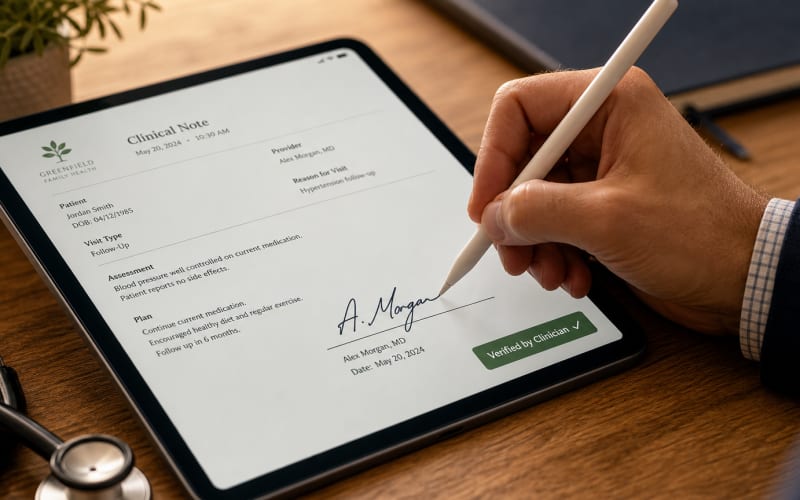
A Documentation Workflow Built for Practice Fusion EHR
Clinical documentation inside Practice Fusion EHR rarely fails because clinicians lack dedication. It fails because the encounter screen demands constant context-switching—between flowsheets, prior labs, the problem list, and free-text narrative fields—for a solo clinician who is also the intake coordinator, the biller, and the front desk. Every minute spent re-typing an HPI or copy-pasting a plan is a minute stolen from the patient in front of you. Merry AI was architected specifically to close that gap without adding a single new login, marketplace fee, or IT ticket.
Practice Fusion positions itself explicitly for solo and individual practices, emphasizing rapid encounter documentation, customizable flowsheets, and chronic care management within a single browser-based interface. That web-native design is exactly what makes a DOM-injection strategy viable. Because Practice Fusion renders as a dynamic web application—preferred in Chrome on both Windows and Mac—Merry AI can operate as a lightweight browser extension that reads and writes the same fields you type into manually, with none of the latency or cost of a server-side API integration.
Solo clinicians are uniquely sensitive to documentation burden, and they are the population most willing to adopt a tool that eliminates several minutes per encounter. Our approach targets the note-writing phase directly: the Subjective, Objective, Assessment, and Plan segments where free-text volume is highest. The result is a workflow that feels native, respects Practice Fusion's certified behavior, and keeps you—not an algorithm—as the signing author of every record.
Why DOM Injection Beats the API Marketplace Model
The instinctive assumption among clinicians is that "integration" must mean a formal API partnership. For closed or read-oriented EMR APIs, that assumption is a trap. Practice Fusion's ONC-certified FHIR R4 API implements US Core, SMART app launch, and Bulk Data Access—capabilities built primarily for structured data sharing and USCDI read operations, not for authoring free-text encounter notes in real time. Building a marketplace integration would incur onboarding fees, OAuth client registration, and the round-trip network latency of every write call, all to accomplish something the browser already does instantly.
Merry AI deliberately sidesteps that overhead by living where the clinician already works: inside the authenticated Practice Fusion browser session. The extension observes DOM mutations to identify the active encounter section, then injects structured SOAP text into the correct textarea or discrete-value field. It dispatches the native input, change, and blur events that Practice Fusion's autosave, validation logic, and audit trail expect—so from the platform's perspective, the content arrived exactly as if you had typed it. No certified functionality is altered, and no certification claim is touched.
The architectural distinction becomes concrete when you compare the three realistic paths to getting a note into the chart. The table below contrasts the traditional API marketplace model, the manual copy-paste status quo, and Merry AI's browser-native DOM injection.
| Architecture | Deployment Overhead | Latency | Annual Fee | Note Authoring |
|---|---|---|---|---|
| Traditional API Marketplace | OAuth registration, IT approval, vendor review | 800ms–2s per write call | Marketplace + per-seat fees | Limited by FHIR write scopes |
| Manual Copy-Paste | None, but high cognitive load | Human-speed retyping | $0 tooling | Full, but slow and error-prone |
| Merry AI DOM Injection | One-click Chrome Extension install | ~0.4s field mapping | No API or marketplace fee | Full SOAP/DAP/BIRP injection |
This comparison reframes the decision entirely. DOM injection delivers the authoring freedom of manual entry with the speed of an automated pipeline, while avoiding the cost and configuration burden of a marketplace integration that cannot even write narrative notes in the first place.
Semantic Selectors Over Brittle CSS
A durable overlay cannot rely on hard-coded CSS class names, because Practice Fusion ships UI updates that reshape the DOM. Merry AI resolves fields using semantic anchors—ARIA roles, stable data attributes, and surrounding text context—so a cosmetic release does not break your workflow. When a field cannot be confidently resolved, the extension defers rather than guessing, preventing the catastrophic error of writing exam text into a vitals input.
Frame and Section Awareness
Practice Fusion modularizes its encounter interface into distinct sections: the note, flowsheets, orders, and prescriptions. Merry AI tracks which section currently holds focus and maps each SOAP segment to its rightful destination. Subjective narrative flows into HPI and History fields; Objective data targets vitals and exam sections; Assessment couples to the problem-list narrative; and Plan populates instructions and order-adjacent text. This section awareness is what turns raw transcription into a clinically defensible, coding-ready note.
Preserving Coding Integrity and G2211 Capture
Documentation speed is worthless if it degrades coding accuracy. Since January 2021, CMS adopted the AMA CPT Editorial Panel framework that selects office and outpatient E/M levels by medical decision-making or total time—no longer by history and exam bullet counts. Merry AI structures its output to surface the MDM elements that actually drive level selection: the number and complexity of problems addressed, the data reviewed, and the risk of the management plan, consistent with AMA CPT guidance.
The add-on code G2211 deserves particular attention for solo clinicians managing longitudinal relationships. CMS activated G2211 on January 1, 2024 to recognize the inherent complexity of serving as the continuing focal point for a patient's care. Merry AI is engineered to prompt and capture the documentation that substantiates G2211 alongside its base E/M code, so the visit complexity you actually deliver is reflected in the record—and defensible on audit.
Coding integrity also depends on note segregation. Merry AI keeps standard progress notes distinct from psychotherapy process notes, ensuring sensitive content never bleeds into the billable, exportable record. This protects both your patients under 45 CFR 164.508 and your practice against the medico-legal exposure of a muddled chart. To align these mechanics with your specific specialty mix, Schedule a 15-Minute Workflow Audit.
Templates That Map to Discrete Fields
Template selection is where time savings compound. Rather than hunting through built-in macros, clinicians can pull from over 1,000 pre-built structures at the Access 1,000+ EHR Clinical Templates center. Each template is designed so discrete elements—vitals, coded diagnoses, medication changes—map cleanly into Practice Fusion's structured inputs while narrative flows into the free-text fields, preserving USCDI and C-CDA exportability.
Security, HIPAA, and the Clinician as Author of Record
Practice Fusion holds a robust compliance posture—ONC 2015 Edition Cures Update certification, SOC 2 Type 2, EHNAC accreditation, EPCS certification, and ISO 9001:2015. Any tool operating inside that environment must not compromise those controls. Merry AI is explicitly designed to leave Practice Fusion's authentication, access control, and audit logging untouched. You log in through Practice Fusion's own certified flow; the extension never sees, stores, or manages your credentials.
Data governance is the second pillar. Merry AI operates under an executed Business Associate Agreement with a strict zero-retention model—no audio and no transcript persist after a draft is generated. All processing occurs with encryption in transit, and the extension's host permissions are scoped narrowly to the Practice Fusion domain so it cannot observe unrelated browser activity. This is the difference between a productivity assistant and a data-hoarding liability.
Above all, the clinician remains the author of record. Every draft Merry AI injects is a proposal awaiting your review and signature—never an automatic chart commit. This preserves medico-legal defensibility, keeps documentation accurate for USCDI and information-blocking obligations, and ensures the human judgment that regulators and payers expect is unmistakably present in the record. Solo practitioners can deploy this confidence without a compliance team, because the architecture itself enforces the guardrails.
Getting Started as a Solo Independent Clinician
Onboarding is intentionally frictionless for a practice of one. Install the Chrome Extension, authenticate to Practice Fusion as you always do, and select or generate a template. From the first encounter, structured SOAP, DAP, or BIRP drafts appear ready for your review in the correct fields—no vendor review cycle, no marketplace fee, no waiting on IT. The entire deployment path was built around the reality that a solo clinician's most scarce resource is uninterrupted time.
The measurable payoff is documentation minutes reclaimed—time otherwise spent re-typing narrative, navigating between flowsheets and notes, and manually managing templates. For a clinician handling a full patient panel single-handedly, those minutes aggregate into hours per week returned to patient care or to leaving the office on time. When you are ready to model that return against your own encounter volume, Explore Merry AI Practice Partner Plans and see how the browser-native approach fits a solo practice budget.